
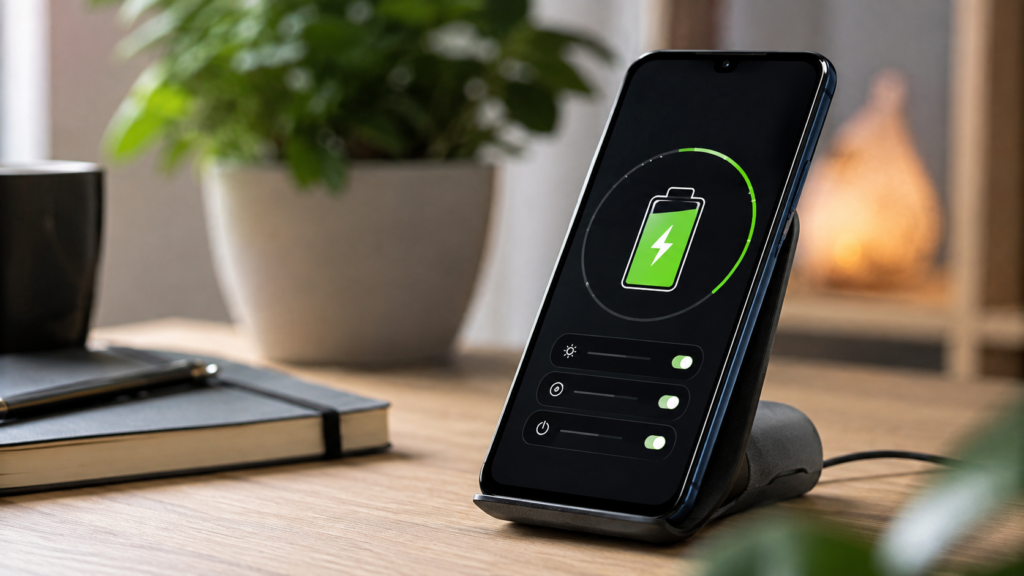

If you’ve noticed your phone barely lasting until dinner when it used to survive a full day without a charger in sight, you’re not imagining things. Lithium-ion batteries naturally lose capacity over time, and most people never take the time to learn how to optimize smartphone battery performance before the damage becomes permanent. The decline feels gradual until one day you realize you’re charging twice as often as you used to, wondering where all that battery life went.
The encouraging part is that this decline isn’t entirely out of your hands. A handful of small, consistent changes to how you charge, cool, and use your device can dramatically slow this process down. This guide walks through 15 practical, tested settings and habits that work on both iPhone and Android devices, whether your phone is brand new or already showing early signs of wear and tear.
Understanding How Batteries Degrade in the First Place
Every smartphone battery is rated for a limited number of charge cycles, typically between 300 and 500 full cycles before capacity noticeably drops. Each time you drain and recharge your battery, you use up a small fraction of its total lifespan, whether you notice it or not. Heat, voltage stress, and constant full charges all accelerate this natural aging process, which is precisely why learning how to optimize smartphone battery habits matters so much for anyone who wants their device to last.
It helps to think of your battery less like a simple on-off switch and more like a muscle that gradually wears down with repeated overuse and strain. Charging smart, rather than charging often or charging carelessly, is genuinely the key to preserving performance over the long haul. Once you understand this underlying mechanism, every recommendation in this article will make a lot more practical sense, and you’ll start noticing habits worth changing immediately.
Charging Habits That Extend Battery Life
The widely recommended 20 to 80 percent rule exists for a good reason: keeping your battery within this comfortable range significantly reduces the voltage stress that causes long-term degradation. Charging all the way to 100 percent every night, or letting your phone die completely before plugging it back in, puts unnecessary, repeated strain on the internal cells. Over months and years, this shortens overall battery lifespan far faster than moderate, partial charges ever would.
So is it actually better to charge to 80 percent or all the way to 100? For everyday use, capping around 80 percent is the smarter long-term choice. Save a full 100% charge for situations where you genuinely need maximum runtime, like a long flight or a busy travel day. It’s also worth always using certified chargers and cables, since cheap third-party accessories often deliver inconsistent voltage that quietly damages battery cells without you ever realizing it.
Temperature Control: The Silent Battery Killer
Heat is arguably the single biggest threat to long-term battery health, even more damaging than frequent charging habits. Leaving your phone in direct sunlight, inside a hot parked car, or tucked under a pillow while it charges generates excess internal heat that gradually degrades the battery’s chemistry. Over time, this leads to a permanent loss of capacity that no software setting, no matter how advanced, can reverse once the damage has occurred.
Removing thick or insulated phone cases during charging allows heat to dissipate far more efficiently, keeping internal temperatures lower. Cold weather isn’t ideal either, since it can temporarily reduce battery performance and cause unexpected shutdowns, though it doesn’t cause the same lasting chemical damage that heat does. Keeping your device within a moderate, comfortable temperature range whenever realistically possible remains one of the simplest and most effective ways to protect long-term battery health.
Software Settings That Make the Biggest Difference
This is where most of the real optimization happens day to day, and it forms the practical core of learning to optimize smartphone battery performance without changing your daily routine much. Battery Saver Mode, whether it’s Low Power Mode on iPhone or Battery Saver on Android, reduces background activity, visual effects, and constant syncing. Scheduling it to activate automatically at a certain percentage, rather than relying on yourself to remember, ensures consistent savings without demanding any extra thought from you.
Adaptive and Optimized Charging features, like Apple’s Optimized Battery Charging and Android’s Adaptive Battery, learn your daily routine over time and intelligently slow charging speed as your phone nears 100 percent. These features run quietly in the background and require essentially no ongoing effort once switched on. Beyond charging, display adjustments matter enormously: lowering brightness, shortening screen timeouts, enabling dark mode on OLED screens, and reducing the refresh rate from 120Hz to 60Hz collectively make a very noticeable difference, since the display is typically the largest battery consumer on any modern smartphone.
Connectivity and App-Level Management
Turning off Bluetooth, Wi-Fi scanning, and precise location services when they aren’t actively needed prevents your phone from constantly searching for signals in the background. Switching from 5G to LTE in areas with weak coverage also helps considerably, since your phone works much harder and drains far more power hunting for a strong signal than it does maintaining a stable one. These connectivity tweaks are easy to overlook but add up meaningfully over a full day of use.
Not all apps are created equal when it comes to power consumption, either. Checking your battery usage menu reveals exactly which apps are quietly draining resources in the background, often ones you rarely even open anymore. Restricting background refresh, turning off unnecessary push notifications, and removing live wallpapers or unused widgets can immediately reduce daily battery loss, making this one of the fastest, lowest-effort wins available to any smartphone owner.
Long-Term Maintenance Habits Worth Building
Restarting your phone once or twice a week clears background processes and small memory leaks that quietly drain power without any obvious warning signs. Keeping your operating system updated is equally important, since manufacturers regularly release battery efficiency improvements through routine software patches that many users overlook or postpone indefinitely. These two habits alone, though simple, form a surprisingly strong foundation for long-term battery health.
Checking your battery health percentage periodically, through Settings on iPhone or a trusted third-party diagnostic app on Android, helps you track degradation accurately over time instead of guessing. If health drops below roughly 80 percent, it’s usually a clear sign that a physical replacement, not just better daily habits, is the next logical and necessary step forward for restoring full performance.
iPhone Versus Android: Where Optimization Differs
While the underlying fundamentals remain similar across platforms, the exact settings and menu locations do differ meaningfully by device. iPhone users should prioritize Optimized Battery Charging and Low Power Mode, both conveniently found under the Battery section in Settings. Android users, meanwhile, tend to benefit most from Adaptive Battery, along with manufacturer-specific tools like Samsung’s Battery Manager or OnePlus’s dedicated Battery Health Engine, depending on their device.
Regardless of which platform you use daily, the underlying principles for optimizing smartphone battery performance remain remarkably consistent: manage heat exposure carefully, avoid extreme full-charge habits, and reduce unnecessary background activity wherever possible. Learning your specific device’s unique settings menu is simply the final, practical step in applying these broader principles effectively.
Common Myths That Are Actually Hurting Your Battery
Many people still believe you should always charge to a full 100 percent, but this is genuinely outdated advice left over from older battery technology. Similarly, manually closing background apps often forces your phone to reload them completely from scratch the next time you open them, which actually uses more power than simply leaving them dormant in the background. These persistent, well-meaning myths often do more quiet harm than good over time.
Another common misconception is that battery saver mode should run constantly, all day, every day. In reality, it deliberately limits performance and background tasks, so it’s best reserved for moments when you genuinely need extended runtime, rather than treated as a permanent, everyday default setting. Understanding these myths helps you optimize smartphone battery habits based on evidence rather than outdated assumptions passed along by well-meaning friends.
Read More: https://techustime.co.uk/how-to-shoot-with-a-smartphone/
FAQs
Is it better to charge my phone to 80 percent or 100 percent?
For everyday use, capping charges around 80 percent reduces long-term battery stress considerably. Reserve full 100 percent charges for situations like travel days where maximum runtime is genuinely necessary and worth the added strain.
How do I maximize my phone’s battery life?
Combine smart charging habits, reduced screen brightness, limited background app activity, and regular software updates. These four factors, applied consistently, deliver the most noticeable and lasting improvement to daily battery performance.
Should I turn on Optimize Battery Usage or Adaptive Battery?
Yes, for most users this is genuinely worthwhile. These features intelligently adjust charging speed and background activity based on your personal habits, offering meaningful long-term protection with essentially zero ongoing effort on your part.
Why is my phone battery draining so fast even at low usage?
Common causes include rogue background apps, poor signal strength, outdated software, or naturally degraded battery health, which may require either a settings adjustment or, eventually, a full physical replacement.
How often should I restart my phone for battery health?
Once or twice a week is generally sufficient for most users. This simple habit clears background memory leaks and stuck processes that can quietly drain power without any obvious warning.
Does using my phone while charging damage the battery?
Light use is generally fine and won’t cause noticeable harm. Heavy tasks like gaming while charging generate extra heat, though, which accelerates long-term battery wear more than the charging process itself ever would.
How do I check my phone’s battery health percentage?
On iPhone, go to Settings, then Battery, then Battery Health. On Android, check Settings and Battery, or use a trusted third-party app for more detailed diagnostics and history.
Conclusion
Learning how to optimize smartphone battery health isn’t really about making one dramatic change overnight; it’s about stacking small, consistent habits together over weeks and months. Charging between 20 and 80 percent, managing heat exposure, adjusting display and connectivity settings, and staying on top of app behavior all compound meaningfully over time to extend your device’s overall lifespan and daily performance.
Start by implementing three or four tips from this guide today, then gradually build the rest into your routine as they become second nature. Your battery’s long-term health percentage and your phone’s everyday reliability will genuinely thank you for it months, and even years, down the line.