
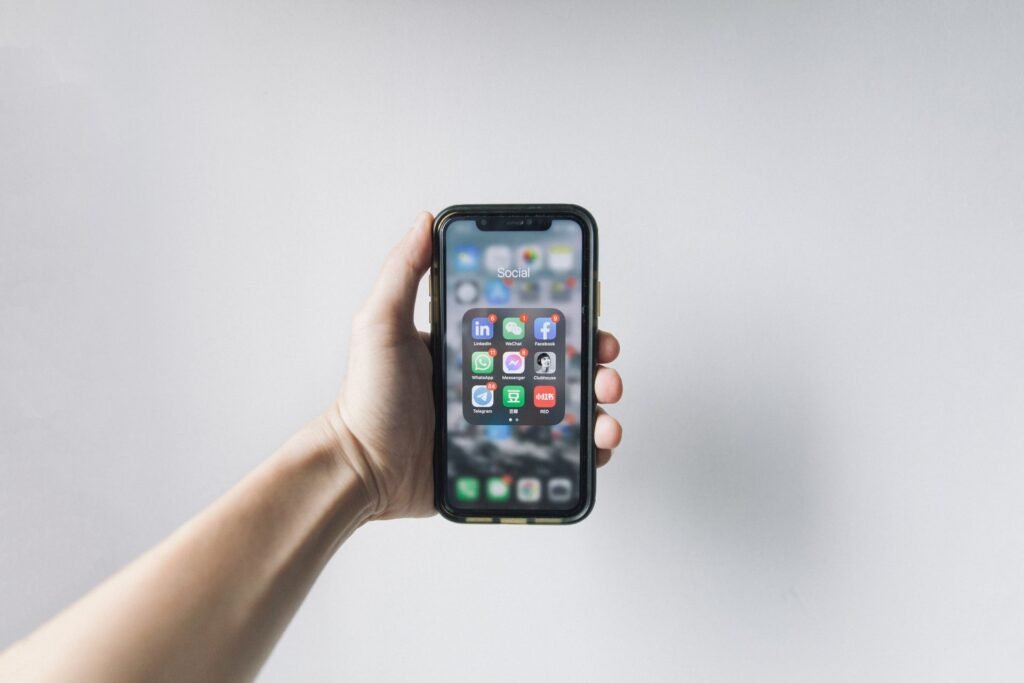

If someone asked you what is a smartphone, you would probably reach into your pocket, hold up your phone, and say, “This.” You would not be wrong. But the term carries more meaning than that. A smartphone is not simply a phone with a big screen. It is a pocket-sized computer, a camera, a map, a bank, and a movie theater folded into one device.
This guide unpacks the definition in plain language, the five features that make a phone “smart,” a short trip through its history, the ways people use one every day, and how it differs from older phones and tablets.
What Is a Smartphone? The Simple Definition
A smartphone is a mobile phone that runs a full operating system, connects to the internet, and lets you install apps. Merriam-Webster defines it as a cell phone that includes additional software functions such as email or an internet browser, while the GSM Association (the industry body behind global mobile standards) calls it a mobile handset enabling advanced access to internet-based services with computer-like functions.
The key word is “computer.” A traditional mobile phone, sometimes called a feature phone, does a fixed set of jobs: calls, texts, maybe a basic camera. A smartphone is a general-purpose computer that happens to make calls, and everything else about it flows from that one fact.
The 5 Things That Make a Phone “Smart”
Not every mobile phone earns the title. Five ingredients separate a true smartphone from the rest.
1. A Real Operating System
Every smartphone runs a full mobile operating system. The two that dominate the world are Android (Google) and iOS (Apple, iPhone only). Unlike the firmware on an old flip phone, these multitask, update over the air, and support thousands of programs. Android powers Samsung, Pixel, Motorola, and OnePlus phones.
2. Apps You Install Yourself
This is the ingredient that changed everything. The App Store and Google Play each offer millions of apps, from banking to games. Software engineers design and maintain these apps, and you decide what your phone can do by choosing what to install, so no two smartphones are quite alike.
3. A Touchscreen You Control With Your Fingers
Modern smartphones are controlled almost entirely by touch: tapping, swiping, pinching to zoom. Capacitive multi-touch screens made physical keyboards optional and turned the entire front of the phone into one flexible display. Physical buttons have shrunk to volume rockers and a power key.
4. Always-On Connectivity
A smartphone expects to be online. It connects through Wi-Fi, cellular networks (4G and increasingly 5G), Bluetooth, and GPS. That constant connection is what makes maps update in real time, messages arrive instantly, and photos back up to the cloud while you sleep. Recent models even add satellite messaging for emergencies when no cell signal exists.
5. Built-In Sensors
Smartphones are packed with sensors most people never think about: accelerometers and gyroscopes that rotate the screen and count steps, GPS for navigation, ambient-light sensors that dim the display, and fingerprint or face-recognition hardware for unlocking.
A Short History: From the IBM Simon to the iPhone
In 1992, IBM showed off a device called the Simon Personal Communicator at a Las Vegas trade show, and BellSouth sold it to the public in 1994. It combined a phone with a touchscreen, email, a calendar, and installable apps, which is why many historians call it the first smartphone (we tell the full story in our article on the first smartphone).
The word itself came later: Ericsson’s R380 in 2000 was the first phone officially marketed as a “smartphone.” Through the early 2000s, BlackBerry ruled business with keyboards built for email. Then 2007 changed the script: Apple launched the iPhone with a multi-touch screen and no keyboard, and in 2008 Apple opened the App Store while Google shipped the first Android phone, the HTC Dream. Within a few years, app-driven touchscreen phones had replaced nearly everything else.
10 Everyday Uses of a Smartphone
Definitions are useful, but what do people actually do with these devices? The overwhelming majority of American adults now own one, and the average user touches it dozens of times a day. Here are the jobs it does.
- Communication. Calls and texts joined by WhatsApp, Messenger, and FaceTime video calls.
- Web browsing. Chrome and Safari handle news, forms, and research on the go.
- Social media. Instagram, TikTok, Facebook, and X are designed phone-first.
- Photography. Smartphone cameras replaced point-and-shoots; editing and cloud backup in Google Photos or Apple Photos take seconds.
- Navigation. Google Maps, Apple Maps, and Waze give turn-by-turn directions and live traffic; Uber and Lyft turned the phone into a taxi stand.
- Banking and payments. Bank apps handle deposits and transfers, while Apple Pay, Google Pay, Venmo, and Zelle turned the phone into a wallet.
- Entertainment. Netflix, YouTube, Spotify, and mobile games made it the most-used screen in many homes.
- Work. Gmail, Outlook, Google Docs, Zoom, and Slack keep people productive away from a desk.
- Health and fitness. Step counters, Apple Health, Google Fit, and sleep trackers monitor activity quietly all day.
- Shopping. Amazon’s app, grocery delivery, and QR-code menus moved a big slice of commerce onto the phone.
Smartphone vs. Feature Phone: What’s the Difference?
If you grew up with a Nokia that lasted a week on one charge, you remember the feature phone. Here is how the two compare.
Feature phones have physical keypads, small screens, and a fixed set of functions: calls, texts, a basic camera, maybe FM radio. They cannot install modern apps. Their advantages are real, though: week-long battery life, extreme durability, and prices often under $50. Nokia’s reissued 3310 and senior-friendly phones like the Jitterbug still sell to people who want simplicity.
Smartphones do everything above plus the full app and internet experience, at the cost of needing a daily charge and costing far more.
Neither is objectively better. A feature phone suits someone who wants a dependable device for calls; a smartphone suits anyone who wants a pocket computer.
Is an iPhone a Smartphone? (And Other Common Questions)
Is an iPhone a smartphone? Yes. The iPhone is Apple’s line of smartphones, running Apple’s iOS operating system. Every model since 2007 qualifies.
Is Android a smartphone? Careful with this one. Android is not a phone at all; it is Google’s mobile operating system. Phones that run Android, such as the Samsung Galaxy series, Google Pixel, Motorola, and OnePlus devices, are smartphones.
What is the difference between a cell phone and a smartphone? A cell phone is the broad category: any portable phone that connects to a cellular network. A smartphone is a type of cell phone, the kind with an operating system, apps, and internet access. All smartphones are cell phones, but not all cell phones are smartphones.
Smartphone vs. tablet: what’s the difference? Mostly size and calling. A tablet like an iPad is a bigger touchscreen device running a mobile OS, but most tablets lack cellular voice calling and a phone number.
How to Tell If Your Phone Is a Smartphone
Not sure what you own? If you can answer yes to all of these, it is a smartphone: it has a touchscreen you tap and swipe, you can install apps from an app store, it connects to Wi-Fi and mobile data, it runs Android, iOS, or another full mobile OS, and it has a front-facing camera and GPS. If your phone only makes calls and texts with physical buttons, you are holding a feature phone.
FAQ
What is the difference between a cell phone and a smartphone?
A cell phone is any mobile phone that uses a cellular network. A smartphone is a cell phone with a full operating system, internet access, and installable apps. Every smartphone is a cell phone, but basic phones with keypads are cell phones without being smartphones.
What was the first smartphone?
Most historians point to the IBM Simon Personal Communicator, sold through BellSouth in 1994, because it combined a phone with a touchscreen, email, and installable apps. The term “smartphone” itself was first used for the Ericsson R380 in 2000. Our article on the first smartphone tells the whole story.
Can a smartphone replace a computer?
For everyday tasks, yes: email, browsing, social media, photos, and navigation all work fine on a phone. Heavy work like video editing, large spreadsheets, or software development still needs a real keyboard, big screen, and desktop software.
Does a smartphone need the internet to work?
Calls and texts work without internet, and offline apps like the camera, calculator, and downloaded music keep functioning. But most of what makes a phone “smart,” including maps, streaming, and cloud backup, needs Wi-Fi or mobile data.
Conclusion
So, what is a smartphone? A cell phone with a real operating system, installable apps, a touchscreen, constant connectivity, and sensors: a pocket computer that happens to make calls. From the IBM Simon in 1994 to today’s iPhones and Galaxy phones, it went from a business luxury to the device most Americans reach for first.