
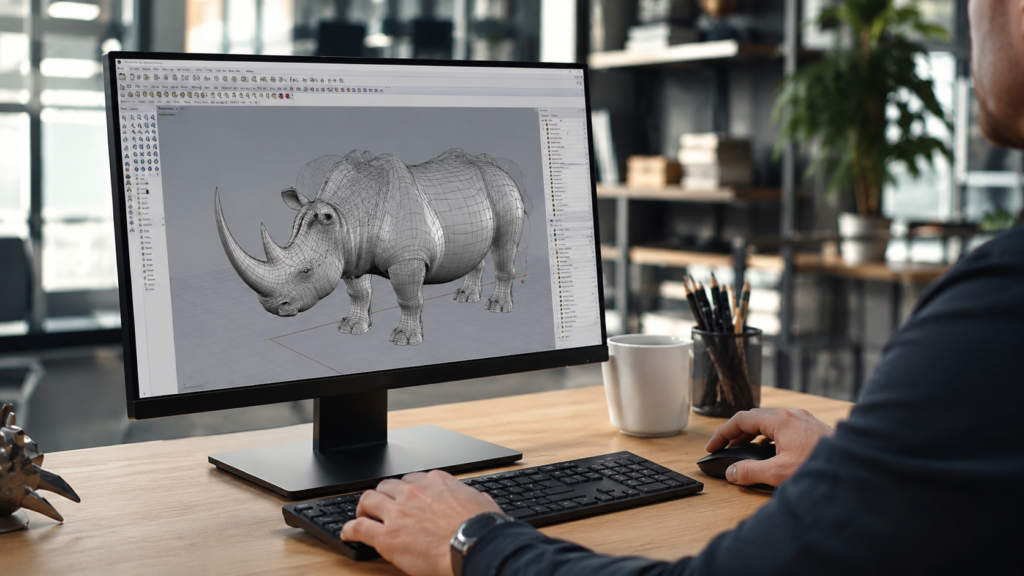

Rhino 3D software is a commercial CAD application built on NURBS mathematics, giving designers the power to create precise curves, surfaces, and solids that hold up under close technical scrutiny. Developed by Robert McNeel & Associates, it has earned a loyal following across architecture studios, jewelry workshops, and industrial design firms that need both creative freedom and mathematical accuracy in a single platform.
What makes this guide worth reading is its focus on practical decision-making rather than surface-level description. You’ll walk away understanding how Rhino 3D software actually functions, what it costs across different license types, how it compares to household-name competitors, and whether the learning investment makes sense for your specific design discipline. No fluff, just the details that matter before you commit.
What Is Rhino 3D Software
At its core, Rhino relies on NURBS — Non-Uniform Rational B-Splines — a mathematical modeling system that produces smooth, mathematically true curves rather than the faceted approximations common in mesh-based tools. This distinction matters enormously for industries where fabrication tolerances are tight, because a curve modeled in Rhino behaves predictably when sent to manufacturing or 3D printing equipment.
The platform has matured steadily since its earliest releases, and the current generation, Rhino 8, reflects that evolution clearly. Faster rendering engines, refined SubD sculpting tools, and deeper generative design integration have transformed what was once a niche surfacing tool into a comprehensive design environment. Understanding this NURBS foundation is essential before exploring any of Rhino’s more advanced capabilities.
Key Features That Set Rhino Apart
Beyond its NURBS core, Rhino 3D software now includes SubD modeling, a subdivision-based approach that lets designers sculpt organic forms the way a digital clay model might behave, while still preserving the mathematical precision Rhino built its reputation on. This hybrid workflow means a single file can move between free-form sculpting and exact surfacing without switching applications entirely.
Grasshopper deserves special attention as arguably Rhino’s most transformative feature. This visual programming environment lets users build parametric, rule-based designs by connecting nodes graphically, entirely without writing conventional code. Architects use it to generate facade patterns that respond to sunlight data, while product designers use it to explore hundreds of design variations from a single algorithmic setup, saving weeks of manual iteration.
Interoperability rounds out Rhino’s feature list nicely, with support for a wide array of import and export formats that keep files moving smoothly between CAD, BIM, and rendering software. Combined with built-in animation and documentation tools, plus a mature plugin ecosystem including V-Ray and Enscape, Rhino functions less like a single tool and more like a flexible design hub.
Who Uses Rhino 3D Software
The professional reach of Rhino 3D software spans a genuinely diverse set of industries, which speaks to its underlying versatility. Architects rely on it for early massing studies and intricate facade detailing, while jewelry designers use its precision to model delicate settings destined for casting molds where even fractions of a millimeter matter enormously to the final piece.
Industrial and product designers turn to Rhino throughout development cycles, from early concept sketches through to manufacturing-ready surfaces for furniture, electronics, and consumer goods. Automotive and marine design teams also lean on the software heavily, since aerodynamic and hydrodynamic surfaces demand exactly the kind of smooth, continuous curvature that NURBS modeling was engineered to produce reliably.
Education represents another significant user base, with schools and universities offering steep discounts to students learning foundational 3D design skills. This academic pipeline ensures a steady stream of designers entering the workforce already fluent in Rhino, which in turn reinforces its continued relevance across the architecture and product design job markets.
Rhino 3D Pricing and Licensing Explained
One of the most appealing aspects of Rhino 3D software is its refreshingly simple licensing structure. Rather than locking users into a recurring subscription, Rhino has traditionally offered a one-time purchase model, meaning the license you buy remains usable indefinitely for that version. For freelancers and small studios managing tight software budgets, this predictability carries real financial value over time.
Pricing tiers vary depending on your situation, with separate structures for commercial use, computer lab deployments, and educational licensing. Students and teachers can often access discounts of up to 80% off standard commercial pricing, making the software remarkably accessible for anyone still building their design portfolio. A free evaluation trial also lets prospective buyers test the complete feature set firsthand before deciding whether to purchase.
Rhino 3D Software vs Other CAD Platforms
Choosing between CAD platforms often comes down to workflow fit rather than raw feature counts, and Rhino 3D software occupies a distinct niche compared to AutoCAD. Rhino generally outperforms AutoCAD for free-form surface modeling and creative exploration, while AutoCAD remains the stronger choice for 2D technical drafting and construction documentation commonly required in traditional building projects.
Against SketchUp, Rhino offers considerably greater precision and handles complex geometry far more gracefully, though SketchUp’s simpler interface still appeals to beginners who need quick massing models without a steep learning investment. Compared to SolidWorks, Rhino favors organic, free-flowing surfacing over rigid parametric solids, making it better suited to design exploration than mechanical engineering projects requiring exact manufacturing tolerances and assembly constraints.
Pros and Cons of Rhino 3D Software
Every design tool involves trade-offs, and Rhino is honest about its own. On the positive side, its modeling precision, Grasshopper integration, and one-time pricing structure create genuine long-term value. Because Rhino skills transfer across architecture, jewelry, and product design disciplines, learning the platform also protects your career flexibility if your professional focus shifts down the road.
On the other hand, some longtime users find the interface visually dated compared to newer competitors built with modern design sensibilities. The learning curve for advanced tools like Grasshopper can also feel steep initially, and online design communities occasionally voice frustration over specific workflow quirks. Most agree, however, that the modeling capability gained ultimately outweighs the adjustment period once fundamentals click.
Getting Started With Rhino 3D Software
Rhino installs on both Windows and Mac systems, though the Windows version has historically maintained more complete feature parity across updates. New users can access official tutorials directly through McNeel’s learning platform, supplemented by a growing library of independent YouTube channels dedicated specifically to teaching Rhino fundamentals and advanced Grasshopper workflows for various industries.
Anyone transitioning from another CAD platform should expect a short adjustment period, particularly around Rhino’s distinctive command-line interface, which differs from the purely menu-driven approach of many competitors. Starting with basic NURBS curve creation before advancing into Grasshopper’s parametric logic tends to build confidence steadily, preventing the overwhelm that occasionally discourages newcomers during their first few weeks.
Read More: https://techustime.co.uk/improve-software-meetshaxs/
FAQs
What is Rhino 3D used for?
Rhino 3D is used for precise NURBS-based modeling across architecture, jewelry design, industrial and product design, automotive prototyping, and 3D printing preparation, thanks to its ability to generate mathematically accurate free-form surfaces.
Can you get Rhino 3D software for free?
Rhino offers a free evaluation trial with full feature access for a limited period, but continued use beyond the trial window requires purchasing one of the available commercial, lab, or educational licenses.
How much does Rhino 3D software cost?
Pricing depends on the license category you choose, with commercial, lab, and educational tiers available separately. Students and teachers frequently qualify for discounts reaching up to 80% off standard commercial pricing.
Is Rhino 3D software better than AutoCAD?
Rhino generally excels at free-form surface modeling and creative flexibility, while AutoCAD remains stronger for 2D drafting and construction documentation, so the better choice depends heavily on your specific project requirements.
Does Grasshopper require programming knowledge?
No. Grasshopper is a visual, node-based programming environment, allowing users to build complex parametric designs by connecting components graphically rather than writing traditional lines of code.
Is Rhino 3D software available on Mac computers?
Yes, Rhino supports both Windows and Mac operating systems, although the Windows version has historically offered slightly more complete feature coverage across major software updates.
How long does it take to learn Rhino 3D software?
Basic modeling proficiency can typically be developed within a few weeks of consistent practice, while mastering advanced tools like Grasshopper usually requires several months of dedicated, hands-on learning.
Which industries benefit most from Rhino 3D software?
Architecture, jewelry design, industrial and product design, automotive and marine prototyping, and 3D printing or manufacturing all rely heavily on Rhino’s precision modeling capabilities for professional-grade results.
Conclusion
Rhino 3D software has earned its standing as a precision-focused modeling platform trusted across architecture, jewelry design, industrial development, and beyond. Its NURBS foundation, the transformative power of Grasshopper, and a refreshingly straightforward one-time pricing model combine to create a compelling package for professionals who need both creative flexibility and manufacturing-grade accuracy from the same tool.
If your work involves organic surfacing, parametric design exploration, or cross-industry versatility, Rhino represents a genuinely worthwhile investment. Weigh the initial learning curve against your project timeline, but for most designers, the long-term payoff in modeling power, combined with a fair licensing structure, makes Rhino a durable and dependable addition to any serious design toolkit.